


Birthday · for her
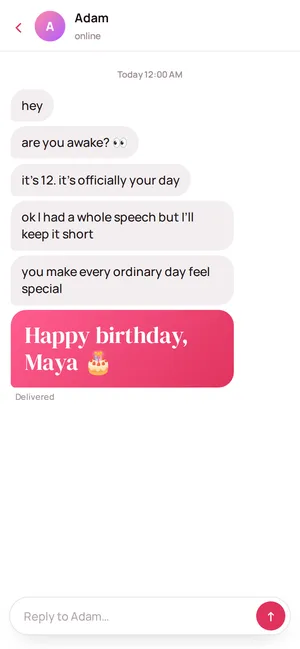
A birthday surprise for your girlfriend she opens with a tap.
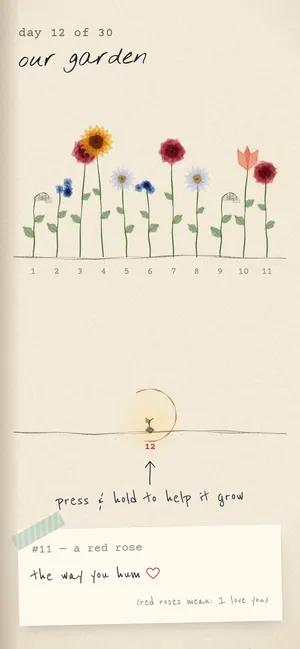
Tap for Her makes a birthday surprise page for your girlfriend: type her name, add photos, your words, a song or a voice note, and send one link. She opens it on her phone — her name drawn in the real stars, a garden growing a flower a day until her birthday, or a newspaper with her as the headline. Free, no app.

What’s inside
- Her name, in the real skyThe stars over your city on the night you met; she connects them with her finger.
- The GardenA new flower every midnight until her birthday, one of your notes under each.
- Her front page“Local woman turns 25; world slightly better” — she’s the breaking news.
- A countdown lockSend it tonight; it opens at midnight on her birthday.
- Love coupons and her reply“Breakfast in bed” she can redeem, and a reply with a selfie straight to you.
How to make a birthday surprise for girlfriend
- 1Type her nameEvery page already says it — in the stars, on the envelope, on the receipt. Pick who it’s for: girlfriend or wife, bestie, sister or mum.
- 2Pick a page and add you twoChoose from the handmade pages or a quick one. Add photos, your words, a song or a voice note. The preview updates as you type.
- 3Send one linkShare it on WhatsApp or hide a QR card in flowers. You see the moment she opens it, and read her reply.
About ten minutes. Make her birthday surprise →
Questions people ask
Is it really free?
Yes, while we launch. Every page and every feature — photos, music, the voice note, love coupons, the friends’ wish wall and her reply — is free, no card needed, and the link doesn’t expire.
Can I send it before her birthday?
Yes. Turn on the countdown lock and she sees a timer until the moment you pick — like midnight on her birthday — then it unlocks on its own.
Does she need to install anything?
No. She taps the link and it opens in her browser on any phone or computer. Nothing to download, no account to make.
Will I know when she opens it?
Yes. “My surprises” shows “Opened · 2 min ago” live, with her reply, her selfie if she sends one, and any love coupons she redeems.
What if she has a long name or an unusual spelling?
Type it exactly as she writes it — the page uses your spelling everywhere. Names up to 40 characters fit on every page.
Is it private?
The link is a random code that isn’t listed anywhere, so only the people you send it to can open it. You can edit or delete it any time.